Creative Mode is the design-led pixie.codes workflow for agencies, event operators, and brand teams that need a campaign QR code to do more than hold a logo.
Text, image snippets, and style are composed into the QR grid itself, then the destination and scan analytics stay live after activation.
Content lives inside the code, not on top of it.Preview before checkout in the live create surface.Single QR starts at $79 with QR Pro for repeat campaigns.
Best fit: campaign launches, event signage, packaging promos, print pieces, and brand activations where the QR should look intentional instead of generic.
Why Creative Mode is different from generic custom QR tools
The market already has plenty of logo-overlay QR generators and AI-art QR experiments. Creative Mode is built for teams that want visible design expression without turning the QR into a gimmick or giving up a live destination path.
Inside The Grid
Text, snippets, and style are part of the QR itself
Creative Mode is designed around structural composition inside the module field, not just decoration around a normal code.
Preview Before Purchase
Teams can see the design before they commit
Creative Mode lets users preview, click Activate, and only then move through sign-in and pricing when the design is worth keeping live.
Live Campaign Control
Destination and analytics stay active after print
Creative campaigns do not stop at image generation. The live source can still be managed after the QR is in market.
Expansion Path
GS1 and resolver depth are available when the work expands
Creative Mode can stay the entry point without forcing GS1 language into every campaign project on day one.
Three examples from the live create surface
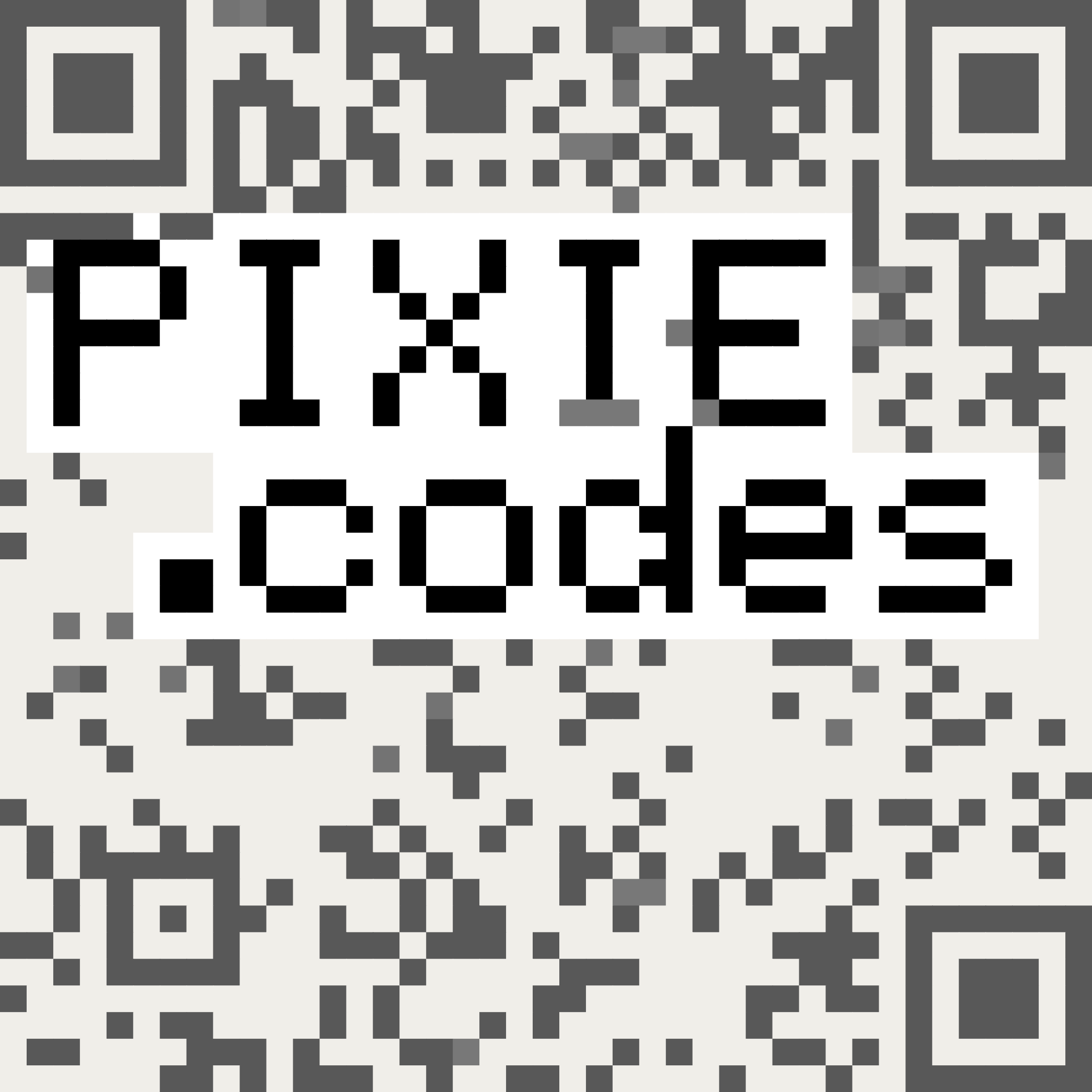
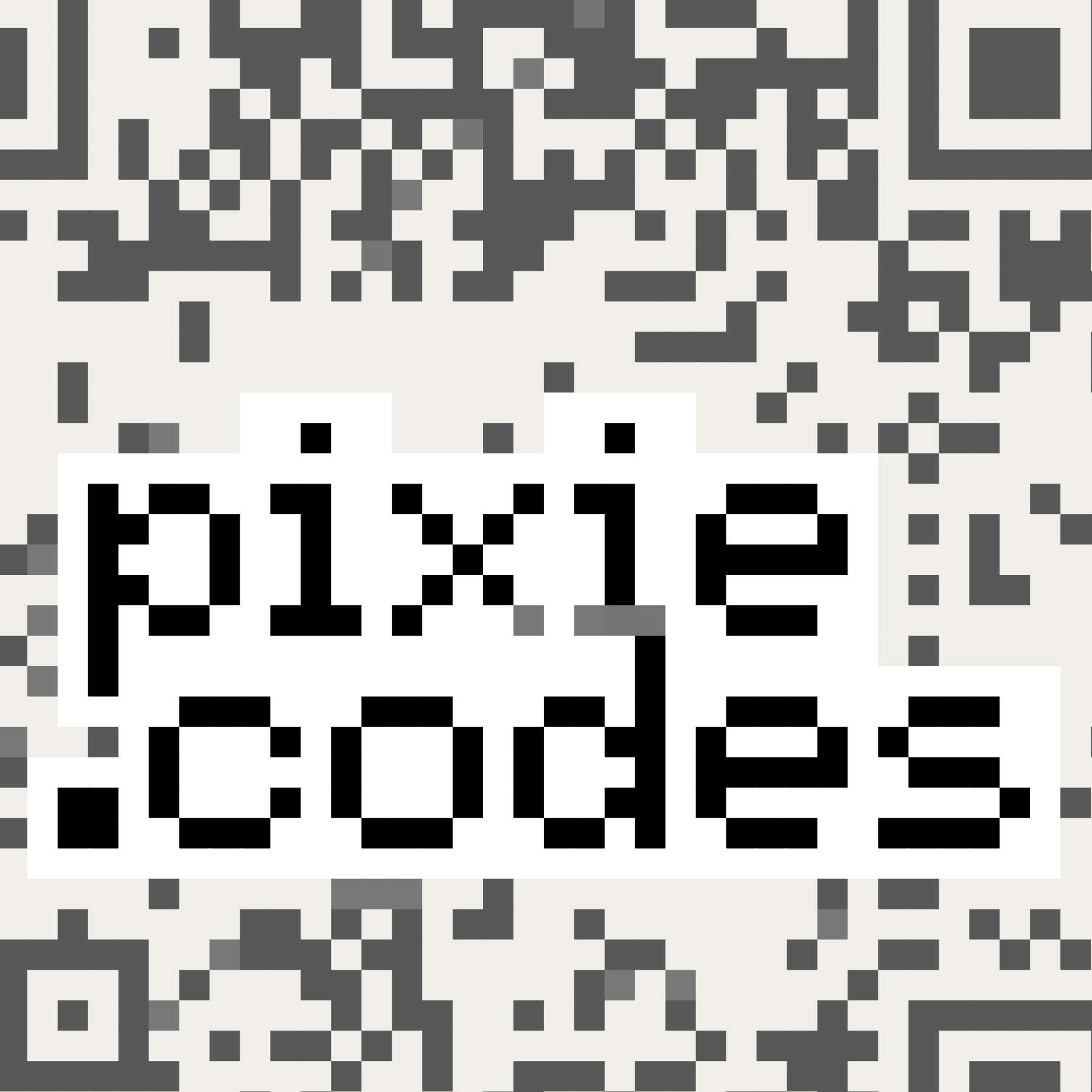
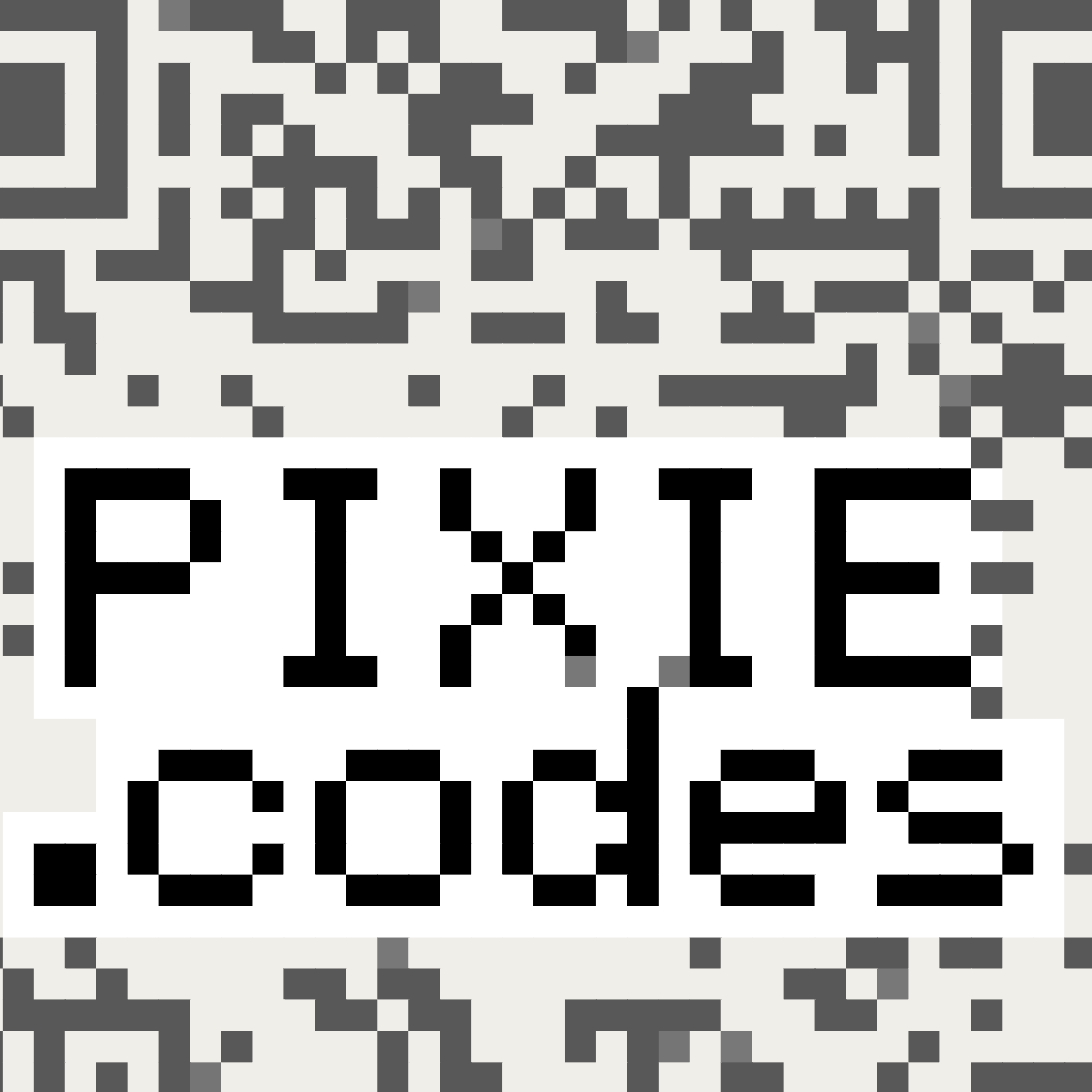
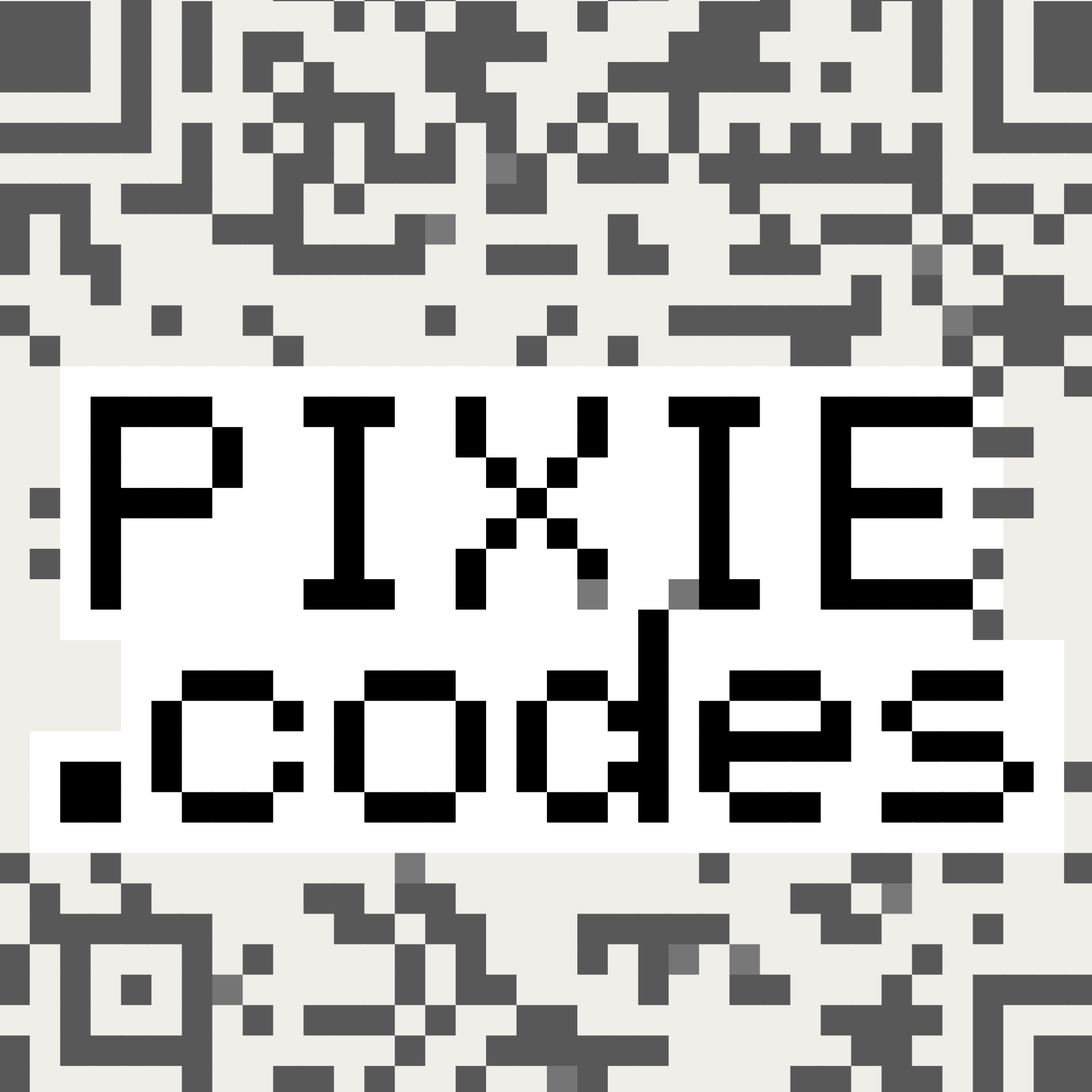
These examples show how Creative Mode can carry campaign text and visual character inside the QR itself; any scan-performance claim still requires matching real-device evidence.
Example 1
Embedded text treatment
Use this to show that the campaign message can occupy the QR itself instead of sitting in a separate frame or sticker-like badge.
Example 2
High-contrast brand expression
This is the strongest visual for agencies and brand teams comparing a recognizably designed QR against generic custom-code templates.
Example 3
Variant-ready creative direction
Use a second style direction when a team needs to see that the look can shift without abandoning the core design principle.
The workflow continues in the live product: Create exposes Creative Mode directly, shows the preview note before purchase, and activates into the paid QR path.
Create preview text: “Your content will become part of the QR code while maintaining scannability.” and “This is a preview. Activate to get your scannable QR code.”
How teams move from preview to activation
Teams can preview first, activate when the design is ready, and keep destination control and analytics live after launch.
Share examples
Share this page, a tailored mockup, or one of these examples with the team reviewing the campaign.
Open Create
Open the live Creative surface to preview a QR before sign-in or checkout becomes necessary.
Activate and choose plan
Activation saves the draft, then pricing narrows to Single QR for one-off launches or QR Pro for repeat use.
Operate and expand
Keep destination control and scan analytics live, then route the account into GS1 or resolver workflows only when the scope truly changes.
Single QR: one paid dynamic sourceQR Pro: repeat launches and account-level controlGS1: move here when the work shifts to governed rollout
Where Creative Mode fits best
Creative Mode works best for teams already shipping QR-bearing surfaces and wanting branded design with real-device scan evidence kept in scope.
Agencies
Boutique agencies and design-forward studios
Best when the agency needs a campaign QR that looks intentionally branded, can be previewed quickly, and can be paid for without a long procurement cycle.
Brand Teams
In-house teams launching print, event, or retail-adjacent campaigns
Best when the QR is part of a live activation and the team cares about both how it looks and what happens after the first scan.
Events
Experiential and event operators
Best when speed matters and the QR needs to feel native to the event system instead of generic or tacked on.
Bridge To GS1
Packaging-adjacent work with a likely upgrade path
Use Creative Mode first, then bring in GS1 when governance, brand-owned domains, or retail scan discipline become part of the work.
Choose the right starting point
Creative Mode is the best starting point when the job is a branded campaign QR. Move to GS1 when the requirement shifts to governed rollout, resolver control, or product identity.
Option
Best for
Tradeoff
Use it when
Generic custom QR
Low-cost customization and dynamic redirects
Limited design expression and heavy template overlap
The QR is functional and visual differentiation is not a priority.
AI-art QR
Visual experimentation and concept exploration
Lower trust and less predictable scan behavior
The work is exploratory, not production-facing.
Creative Mode
Design-led campaign QR with a live destination and an explicit real-device test plan
Requires clear visual hierarchy plus real-device scan evidence for any performance claim
The QR is part of a branded launch and needs to stay live after print.
GS1 / resolver
Governed rollout, brand domains, and operational control
More setup and more cross-functional coordination
The requirement includes product identity, routing control, or multi-SKU rollout.
If the first requirement is Digital Link domains, retail POS, or resolver governance, start on the GS1 side of the product.
Creative Mode FAQ
How is this different from a QR code with a logo?
Creative Mode keeps content in the QR grid itself, rather than placing a logo or frame on top of a standard code.
Can a team preview before paying?
Yes. Teams can preview the QR first and sign in only when they are ready to activate a live source.
When should a buyer move from Creative Mode into GS1?
When the conversation changes from campaign design to branded Digital Link domains, resolver governance, retail scan readiness, or multi-GTIN rollout control.
Which plan should a first-time buyer expect?
Single QR fits one paid dynamic launch. QR Pro is the next step for teams with repeat campaigns, multiple launches, or account-level workflow needs.
Start with the campaign QR. Add more only when the job demands it.
Creative Mode is a direct way to move from branded preview to live QR management while keeping any scan-performance claim tied to matching real-device evidence.